Community gameplay guide
Must-Read Guide: Raise Connection Affinity with Dance
刷人脉「共舞」好感度的必看!
If you are like the editor, you may complete only the first two tasks whenever you raise a Connection's Affinity. The third task looks troublesome because it appears to require uploading a video, so you may have been skipping it.
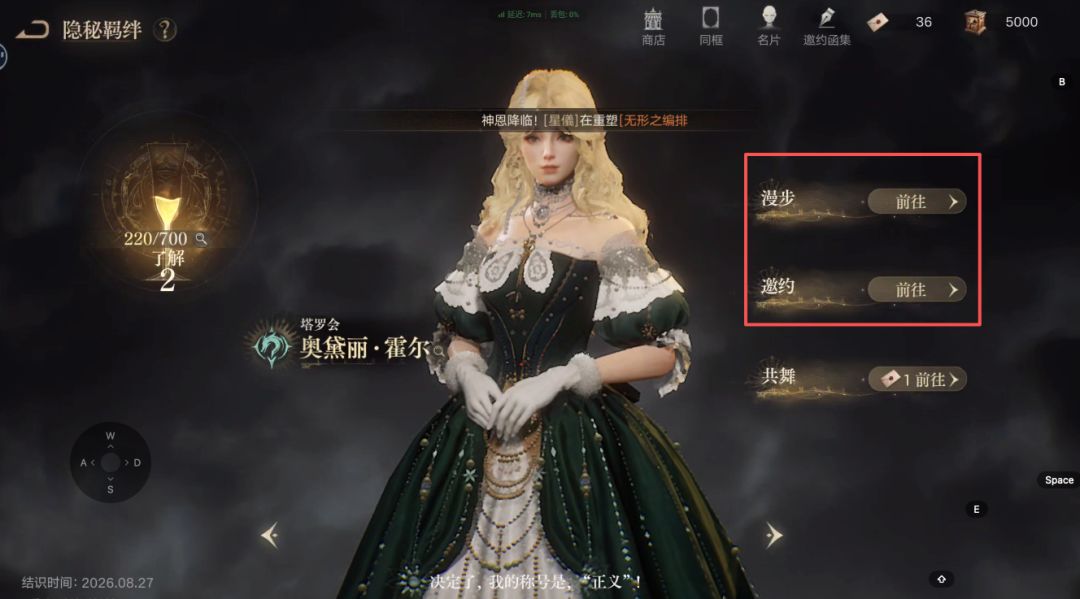
That is also why the editor's Connections generally have low Affinity. Relying on drawn Connection fragments to raise it is simply too slow.
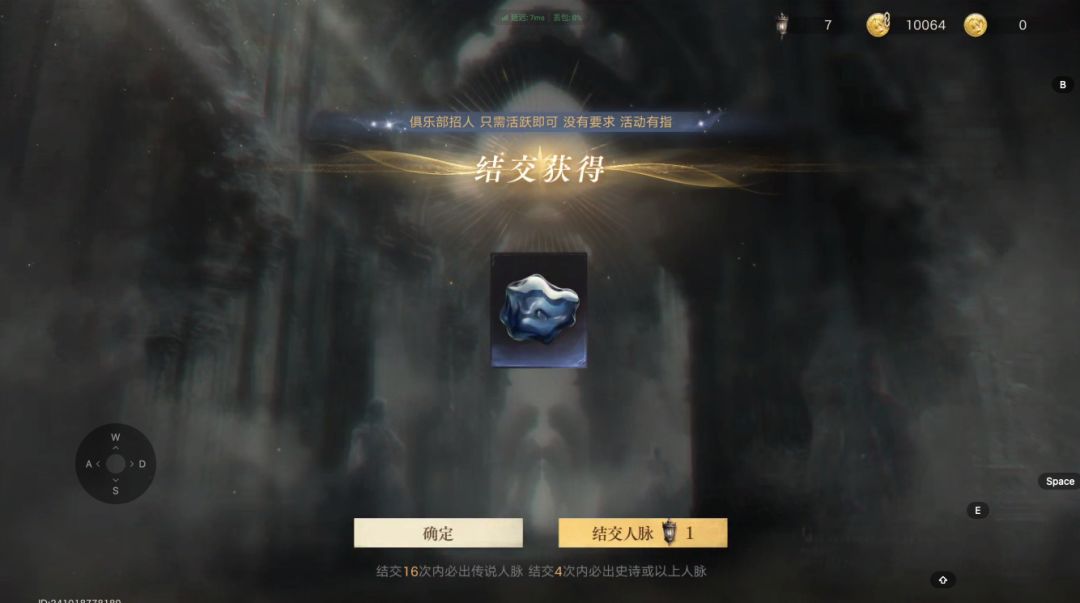
In fact, you do not need to upload a video. On the Dance screen, choose Action, then Solo on the left, select any action, and you can start the performance.
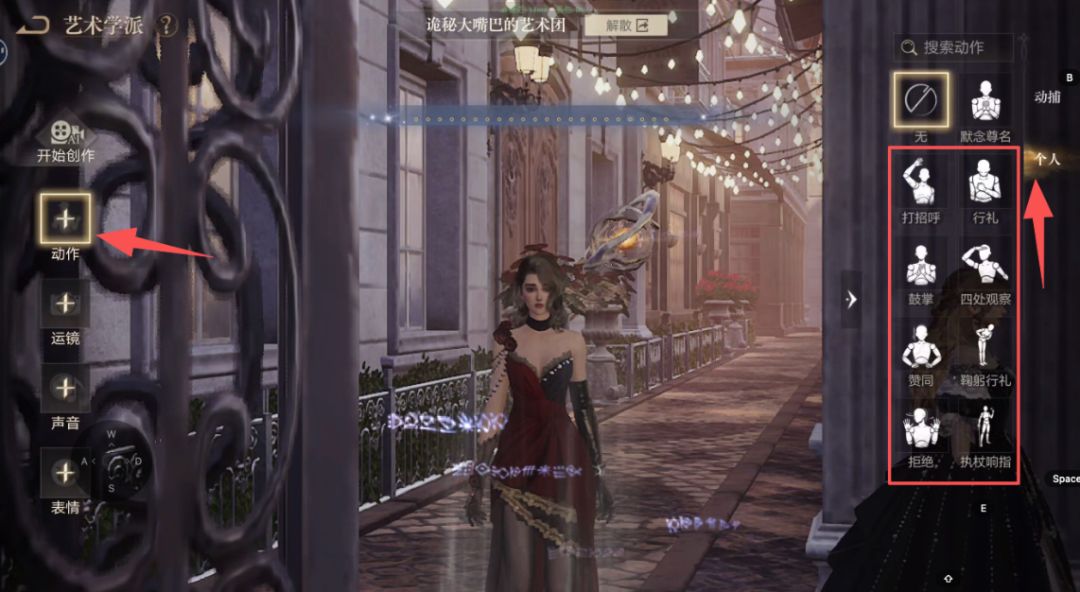
Select Start Performance, wait for the countdown to finish, and then you can leave immediately.
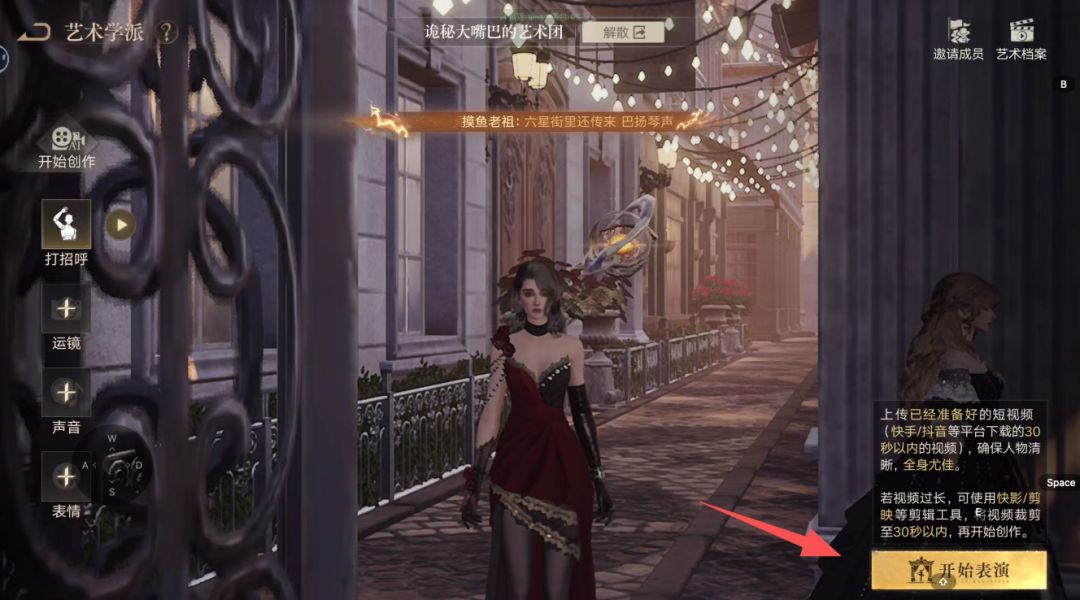
Next, select Invite Members in the upper-right corner. This lets you raise Affinity with multiple Connections in a single performance.
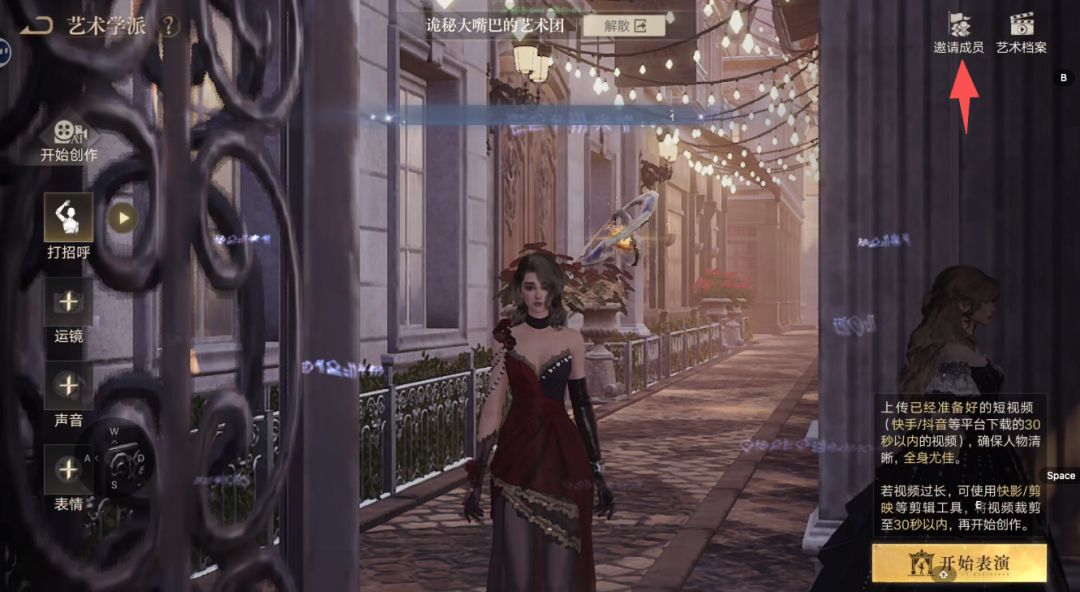
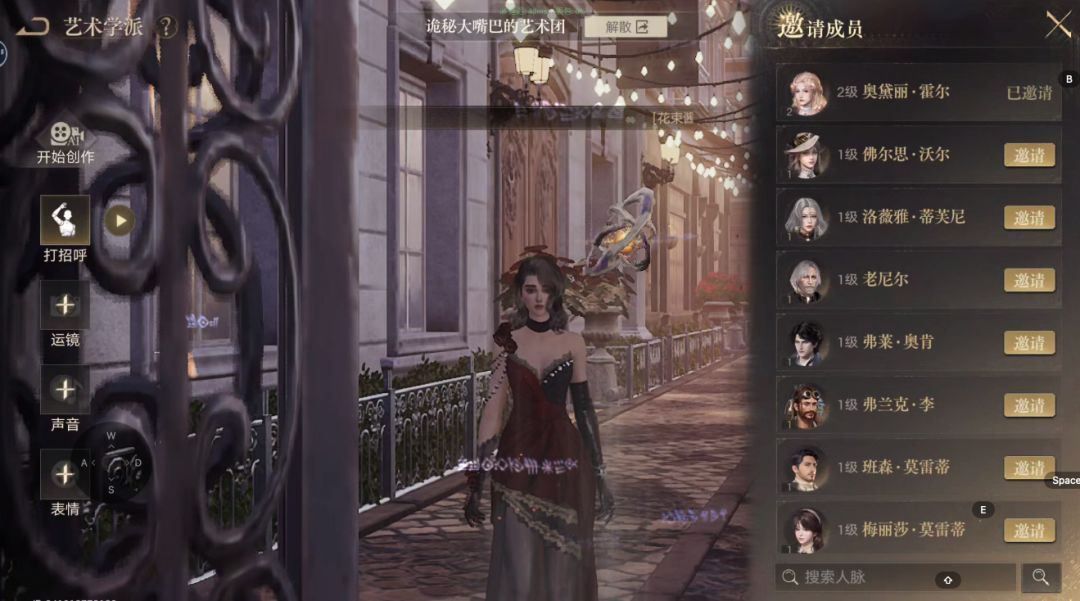
If you did not know this trick, save it for later. You can use it every day to raise the Affinity of the Connections you care about.
Related Guides
For the complete draw, bond, skill and daily Affinity systems, continue with the Lord of Mysteries Connections Guide.